

Dinner Dough
Cook what you have. Spend what you planned.
Dinner Dough is a meal planning app that helps your household decide what to eat and keep the shopping inside the budget you set.



Get it on Android and iPhone
Meal ideas from what you have
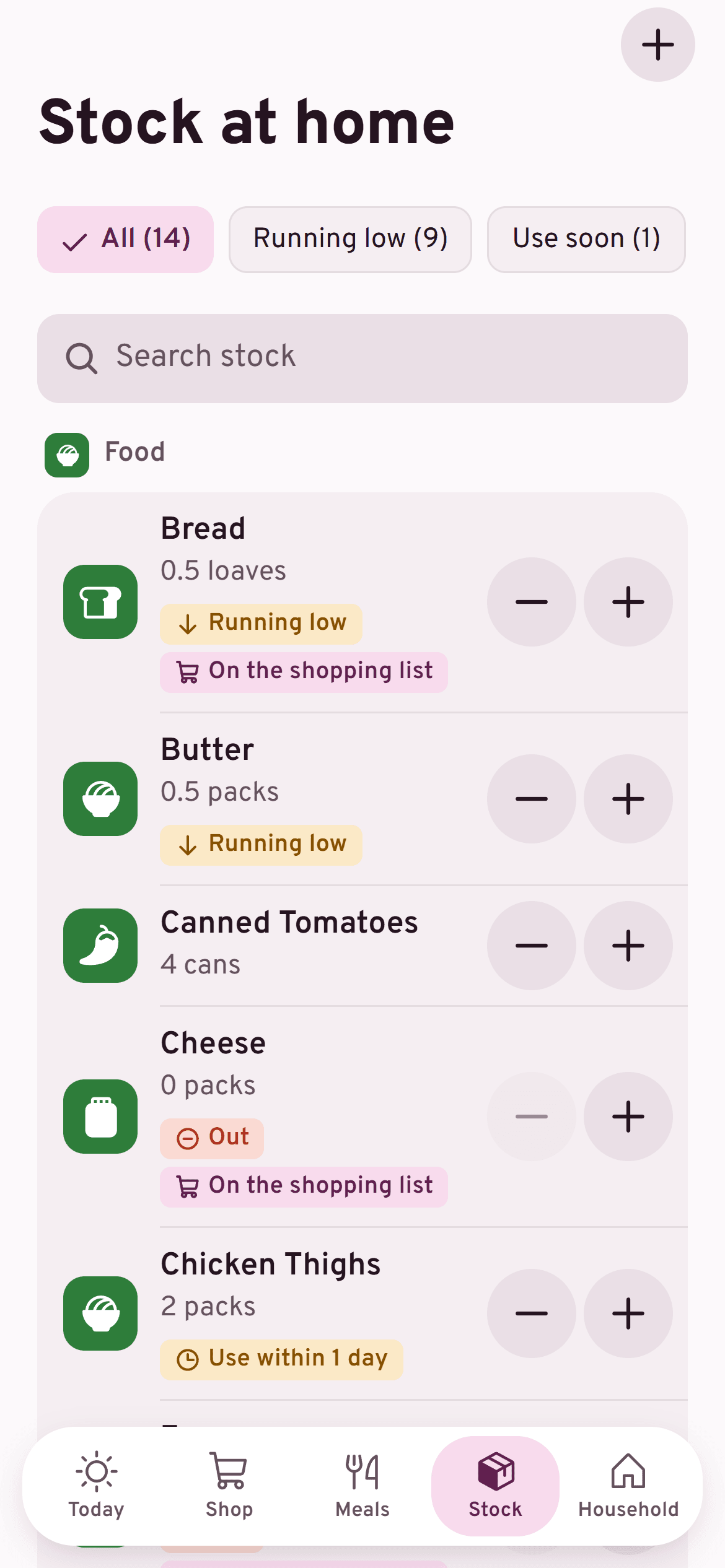
Tell it what's in the kitchen and it suggests breakfast, lunch and dinner from that food, using up what is closest to its date first.
- Each idea shows about how long it takes, what it uses and anything you would need to buy.
- Plan the week yourself, or let Dinner Dough fill the empty slots.
- Mark a meal as cooked and what it used comes out of your stock.
A shopping list that fits the budget
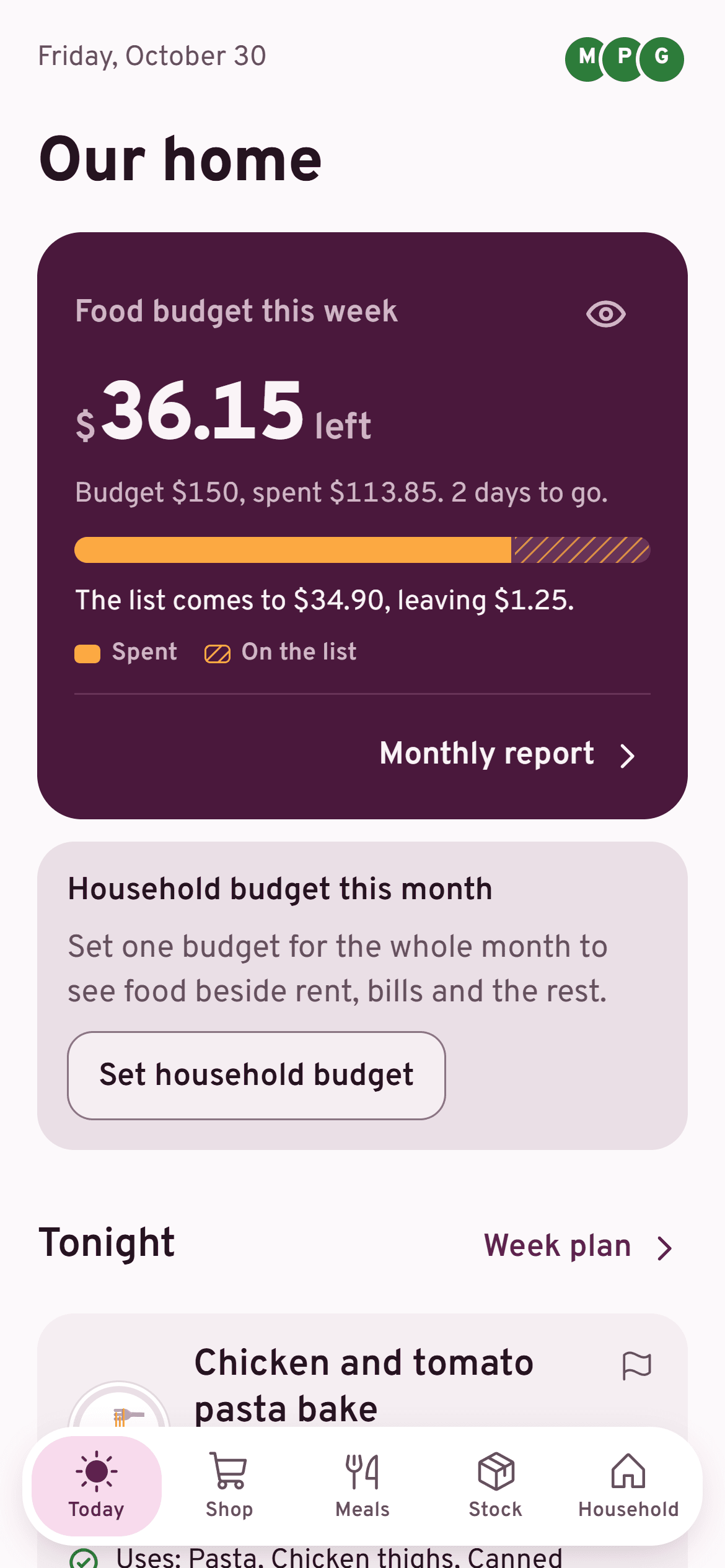
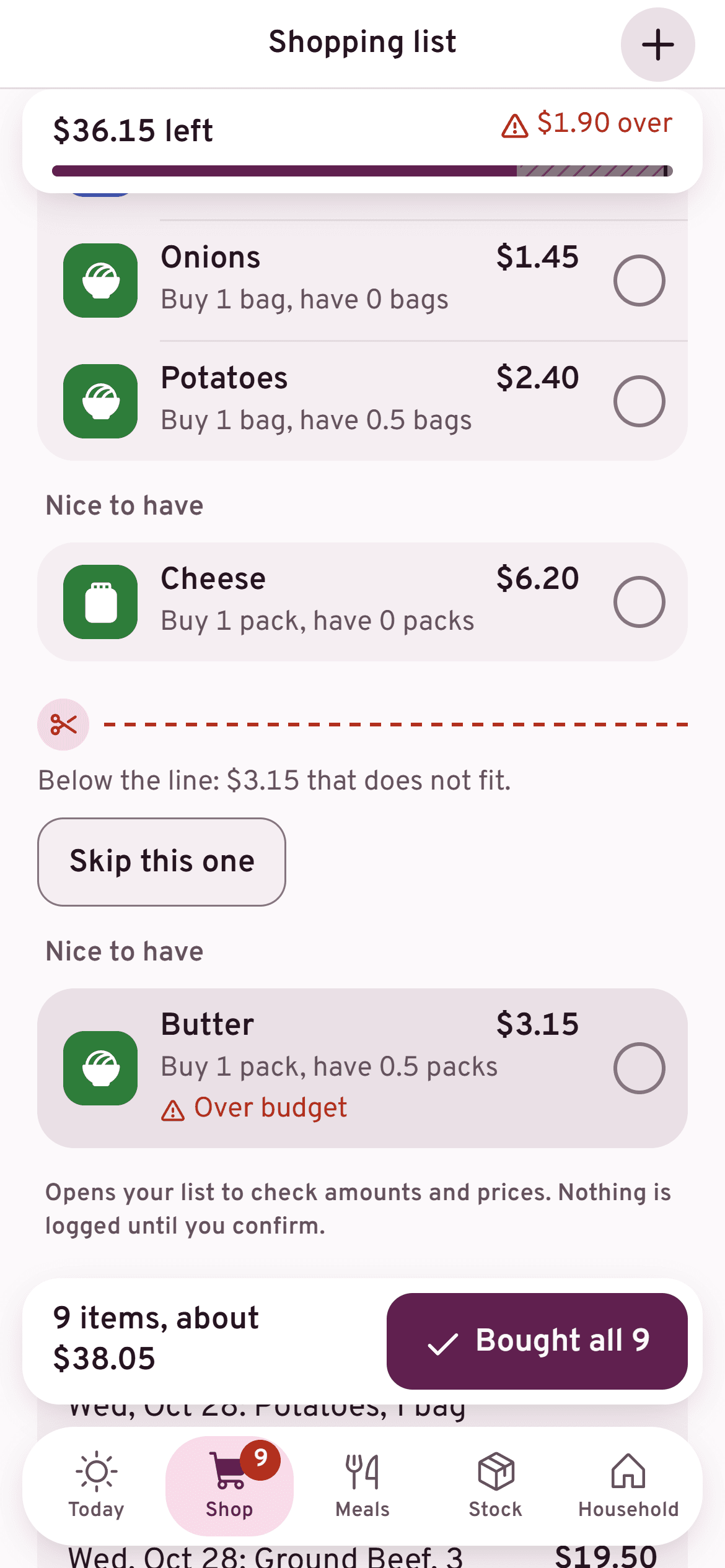
Set a weekly or monthly food budget in your own currency. The list shows what fits the money left and what goes over, so you can trim it or keep it as it is.
- Sort by priority or by store, and skip what you don't need this time.
- Log what you bought in a tap, and other spending too, so what's left stays accurate.
- Anything at or below its restock level shows up on the list.
See where the money went
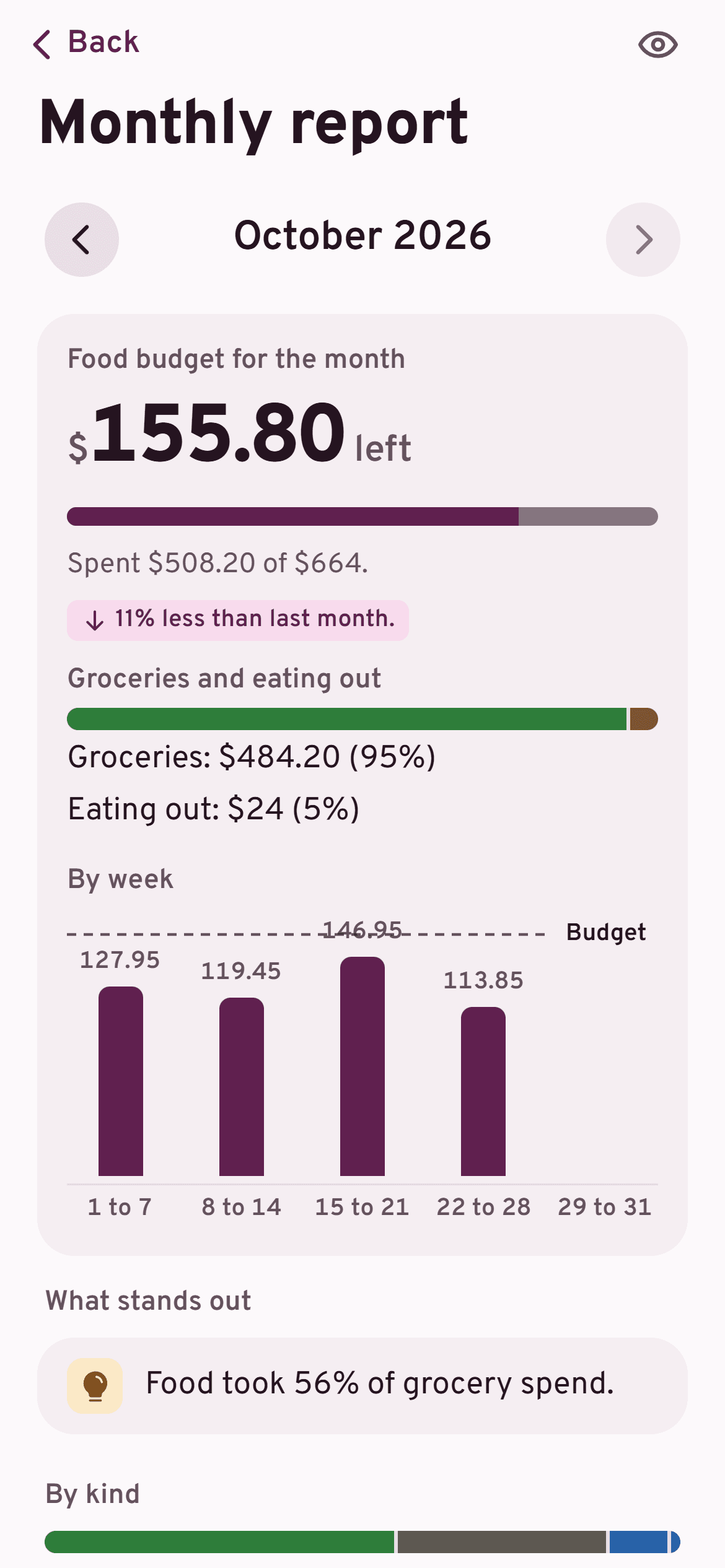
Your monthly report shows what you spent on groceries this month, against your budget and against last month.
- Break it down by kind, by store, by week and by the items you spend most on.
- Save the month as a spreadsheet (CSV).
Plan and shop together
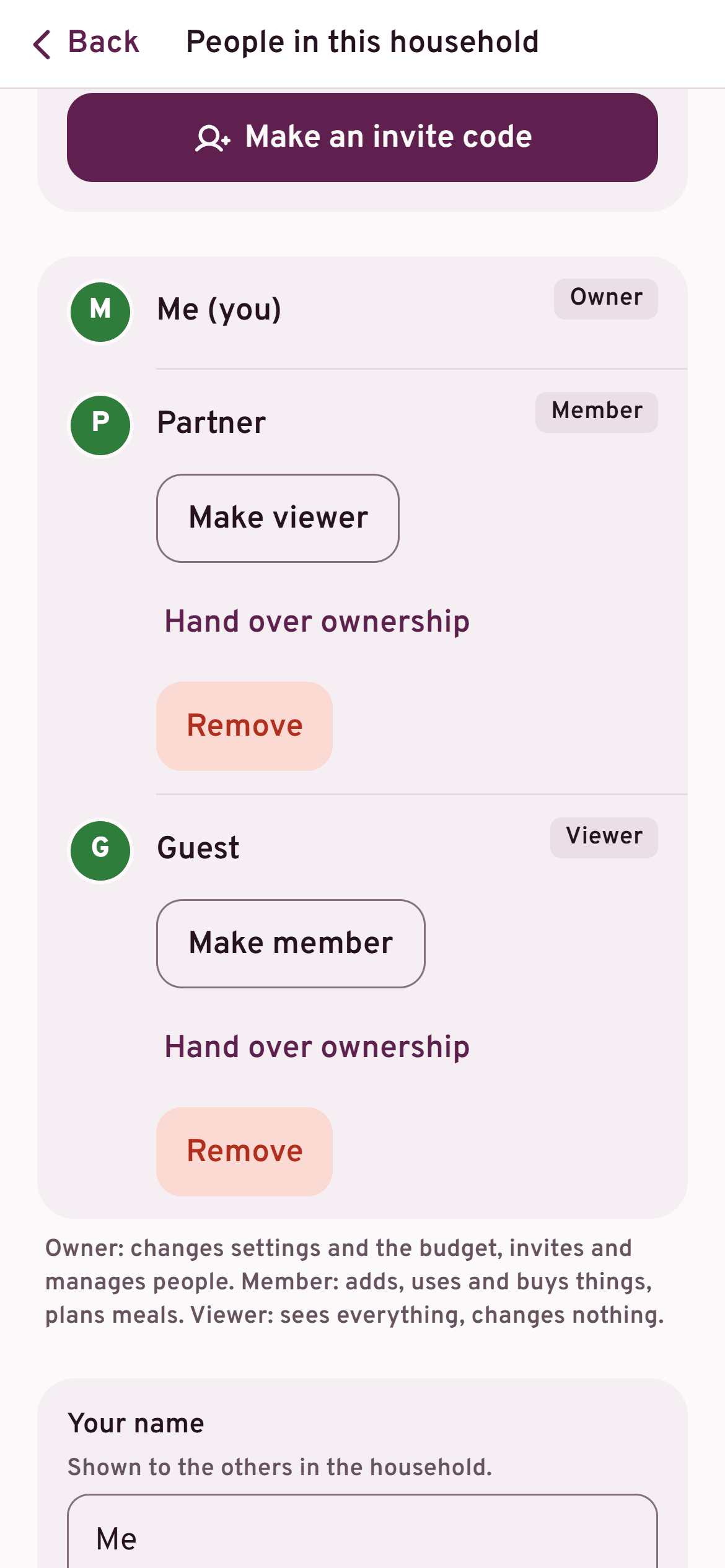
Invite the people you live with by code. Everyone works from the same stock, list, plan and budget, and you can see who bought what.
- Each person is an owner, a member or a viewer.
- Plus covers 2 people. Family covers up to 5.

Works without a signal
Stock, the list, the plan and the budget work offline. Changes are saved on your phone and sync when you're back online. Meal ideas need a connection.
About meal ideas and allergies
Meal ideas are written by AI from your household's food list. They are suggestions, not medical advice. Add allergens to avoid and diets, and ideas take them into account.
If anyone in your household has an allergy, always check food labels yourself.
Choosing a meal planning app?
We compared 11 meal planning apps on price, free versions, platforms and whether they track a food budget, and say what each one is best at. We make Dinner Dough, so it is listed first, and the page says so.
The best meal planning apps, comparedDinner Dough next to other apps
Questions
What does it cost?
Set up your kitchen and try a meal idea first, then choose a plan to keep going: Plus for up to 2 people, or Family for up to 5. New subscribers get 7 days free on every plan, then the price shown in the app and in the store. Cancel any time before day 7 in your store account and you are not charged. There is no free plan.
Which countries is it for?
Every country where Google Play or the App Store offers it. You set your own currency, metric or imperial units and the day your week starts.
What happens to my data?
There are no ads. You can save your stock and purchases as CSV files, or a full backup, at any time, and delete your household or your account from inside the app. Read the privacy policy for the details, or see how to delete your account.
Where can I get it?
On Google Play for Android and on the App Store for iPhone. Use the buttons at the top of this page.
Moving from Mealime?
Mealime closed on October 21, 2026. Dinner Dough is a different app and is not connected with Mealime. It suggests meals from the food you already have and keeps your shopping inside your budget. It cannot bring in your Mealime recipes or plans, so save anything you want to keep from Mealime.